Your family's shared grocery list. Free, forever.
Real-time sync across every phone in your household, organized by the stores you actually shop at. No signup, no ads, no account hassle — open the app and start adding items.

Coming to Android soon
- No signup
- No ads
- Free, forever
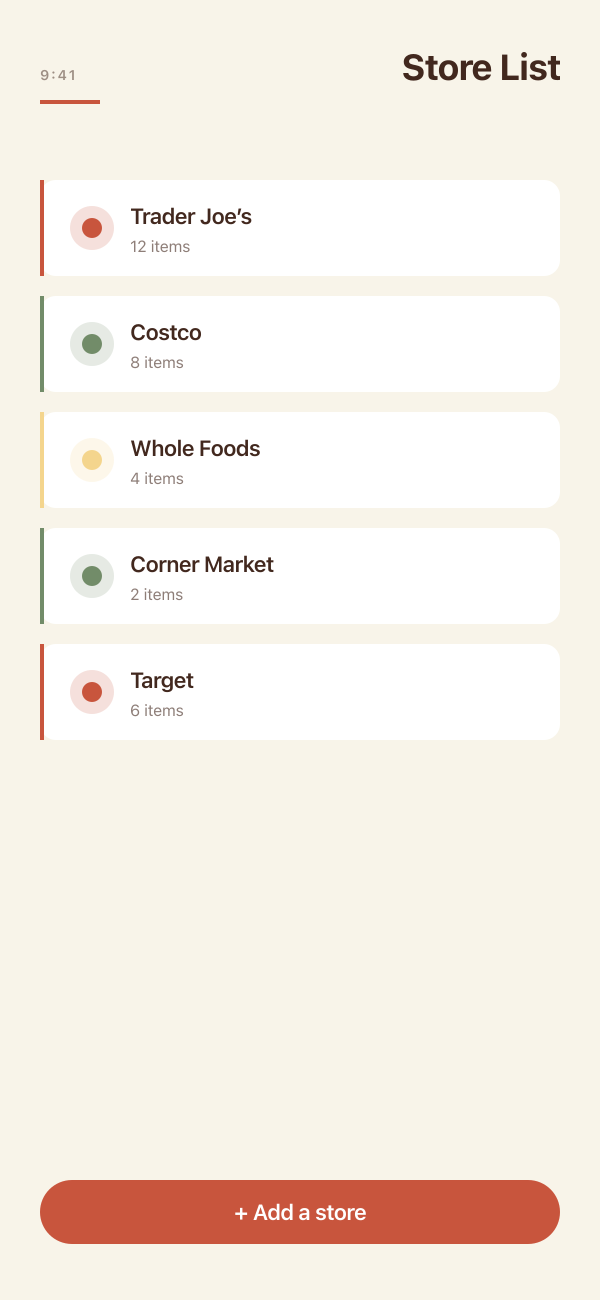
A grocery list that just works for everyone.
Every detail tuned for families that share a fridge — no friction, no homework, no tracking.
Real-time sync
Add an item from the kitchen and your partner sees it before they leave the parking lot. Every add, edit, and check-off shows up instantly on every family member’s phone.
Organized by store
Costco, Trader Joe’s, the corner market — items live under the store you’ll buy them at, so you shop one stop at a time instead of fishing through one giant list.
No signup, ever
The first person creates a family. Everyone else joins with a 6-digit code or a QR scan. No emails, no passwords, no convincing grandma to make an account.
Favorites you can re-add in one tap
Save the things you buy every week. FamilyCart remembers which store you usually pick each one up at.
Belong to more than one family
Your home, your parents’ home, the cabin. Switch between them in two taps — each family has its own list, its own people.
Free forever, no ads
No premium tier, no in-app purchases, no upsells. The full app for every family.
From install to first item, in under a minute.
Three steps. No email, no password, no signup form. The whole household can be on the list this afternoon.
- Step 1.
Create a family
Name your household. No email, no password — your family exists in about ten seconds.
- Step 2.
Share the code
Send a 6-digit code or hold up a QR scan. Everyone in your house joins in seconds.
- Step 3.
Start adding items
Add from anywhere — the rest of the family sees it appear in real time and can check it off at the store.
Find your household.
- For busy parents
Stop being the bottleneck.
You added wine to the list while your partner was already at the store. They saw it and grabbed it — no text, no call, no “did you get the bread?” mid-aisle. The whole family is on the same list, and whoever happens to be at the store knows what to pick up.
- For multi-generational families
Grandma doesn’t need a Google account.
No email to verify, no password to remember, no signup form to walk her through over the phone. She scans a QR code or types in a 6-digit code, and she’s on the family list. Add her to your shared groceries the same afternoon you install it.
- For roommates and shared homes
Three people, one fridge, no more duplicate milk.
Everyone in the house adds what they need; everyone sees what’s already on the list before they leave. You’re not a “family” — you’re a household sharing a kitchen — and FamilyCart works the same way for you. One list, one fridge, no more three half-gallons of milk.
The things people ask first.
Is FamilyCart really free? Will it stay free?
Yes. The full app is free, with no ads, no premium tier, and no in-app purchases. The core grocery list will always stay free — that’s the promise we lead with on the home page, and it’s the one we plan to keep.
Do I need to create an account?
No. The first person creates a family — that’s the whole signup. Everyone else joins by typing a 6-digit code or scanning a QR. There’s no email to verify and no password to remember.
Who can see my grocery list?
Only the people who’ve joined your family with your code. We don’t sell data, run ads, or build profiles, and we don’t share your list with anyone outside your household. Your list is between you and your family.
Is there an Android version? When is it coming?
Not yet — FamilyCart is iOS-only at launch. Android is on the roadmap, and we’ll announce it on the home page when there’s a real date to share. We’re not collecting an email waitlist for it.
Get FamilyCart, free.
Tap Get, name your family, share the code. The rest of your household will be checking off groceries before the next trip.
Coming to Android soon